
November 7, 2026 · 5 min read
Best Free Tool to Upload to Redbubble and TeePublic (2026)
Looking for a free Redbubble and TeePublic bulk upload tool? Redbublic is a free Chrome extension that uploads, fills and publishes your designs on both marketplaces.
Founder
Redbublic
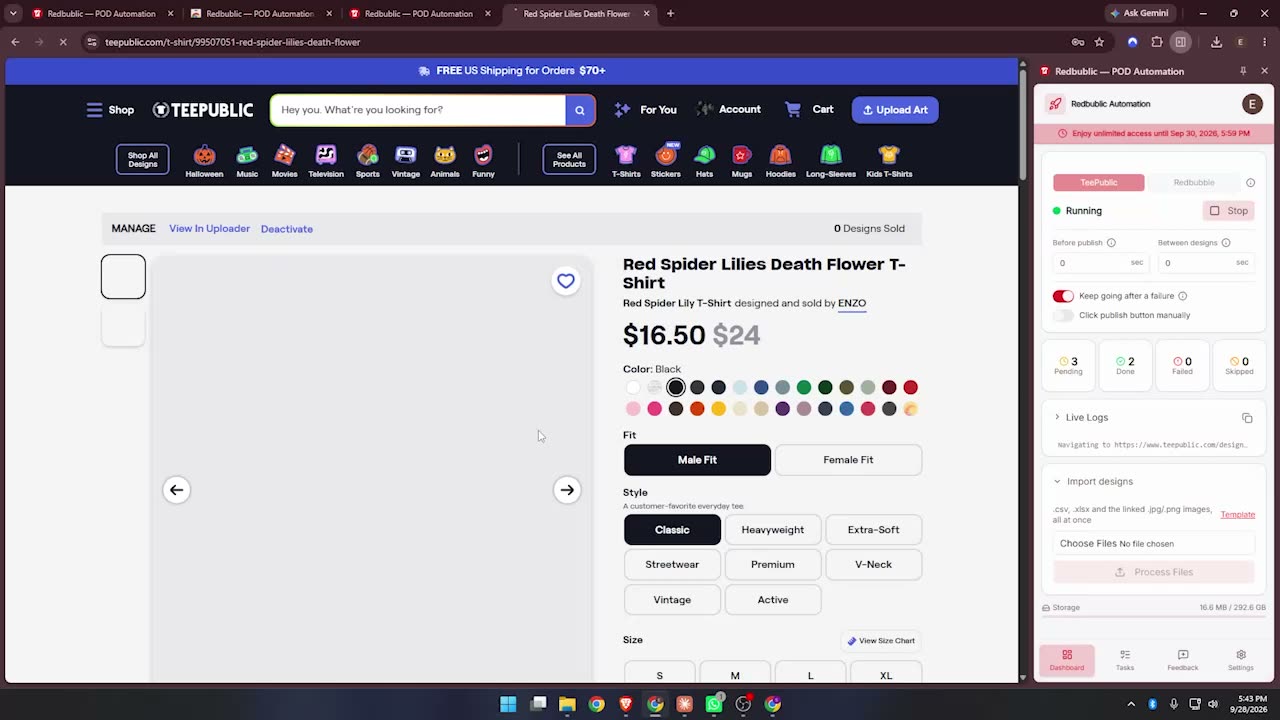
If you sell on Redbubble and TeePublic, you already know the hardest part of print on demand isn't designing. It's uploading. Every design means the same routine on two marketplaces: upload the file, type the title, write the description, add 15 tags, pick the colors, place the artwork on every product, then click publish - and do it all again on the other site. Fifty designs can eat a whole day.
That is why so many sellers search for a Redbubble bulk upload tool or a TeePublic bulk uploader. Here is what to look for in one, and why we built Redbublic as a free tool to upload to Redbubble and TeePublic from a single place.
What makes a good Redbubble and TeePublic upload tool?
A good print on demand upload tool should save you hours without putting your accounts at risk. In practice that means five things: it uploads to both Redbubble and TeePublic from one list of designs; it fills in titles, descriptions and tags for you; it places your artwork properly on every product instead of leaving it cropped or off-center; it respects each marketplace's daily upload limit; and it never asks for your marketplace passwords.
Redbublic: a free Chrome extension for Redbubble and TeePublic uploads
Redbublic is a free Chrome extension that uploads your designs to Redbubble and TeePublic automatically. There is no subscription and no credit card. You prepare one simple Excel file - image name, title, description, tags, color and where to upload - pick your design folder, and press Start.
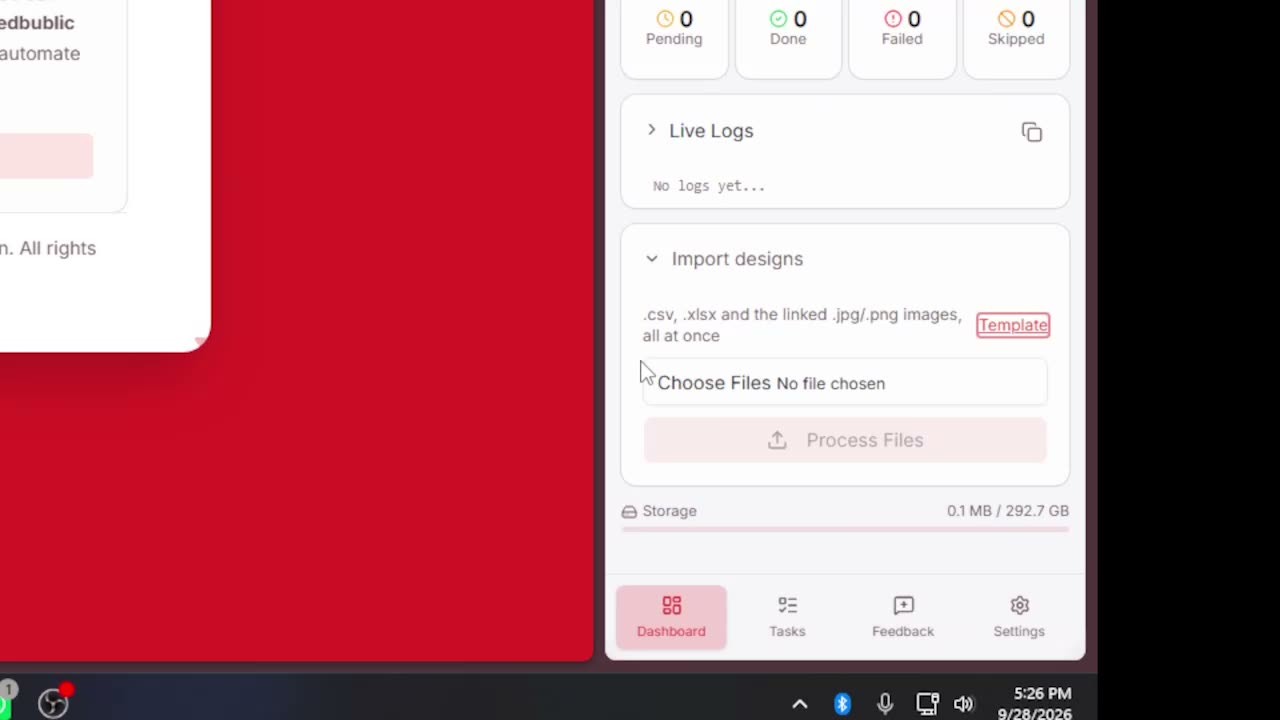
From there the extension works through your queue one design at a time, in your own browser, exactly like you would by hand: it opens the upload page, uploads the artwork, fills the title, description and tags, sets the colors, and publishes. You can minimize Chrome and get on with your day.
It runs in your real browser, with your real login
Many automation tools run on a remote server or a "fake browser" that logs into your account for you. That is risky: marketplaces can flag logins from unknown places. Redbublic works inside your own Chrome, using the session you are already signed in with. Your Redbubble and TeePublic passwords are never stored or shared.
Redbubble bulk upload with "Copy From" templates
Redbubble lets you start a new work by copying the settings of an existing one. Redbublic uses this: set a template once - which products are enabled, the default product, the colors - and every new design is uploaded with those settings. You can keep separate templates for tall, square and wide designs.
Your design is fitted on every Redbubble product
The biggest time sink on Redbubble is fixing the artwork on each product. Redbublic measures your design and resizes it to fit every product it is enabled on - t-shirts, stickers, posters, mugs, pillows, tote bags and more - so nothing is cut off or floating in a corner. Art board prints and acrylic blocks stay inside their border lines, and phone cases place the design below the camera, so it looks right on today's big-camera iPhones and Samsung phones.
Need speed instead? Set "Redbubble Fit Design" to No for a design and it simply keeps your template's placement - a fast mode for designs that already match your template's shape.
TeePublic bulk upload that respects the daily limit
TeePublic limits how many designs you can upload per day, and every new upload page you open counts. Redbublic is careful with that: it uploads one design per upload page, waits patiently when TeePublic shows a security check, and stops cleanly when you reach the daily limit. Your remaining designs simply stay in the queue - press Start again tomorrow and it carries on where it left off.
Upload to Redbubble and TeePublic in one run
Mark a design "Both" in your spreadsheet and it goes to both marketplaces. When one marketplace is finished, Redbublic continues straight on with the other, so one click of Start can publish your whole batch on Redbubble and TeePublic.
Queue hundreds of designs at once
Import 50 designs or 1,000 - every row goes into the queue as pending. Running several shops? Load everything once, and let each account's daily cap do the pacing. If something fails, the design is set aside with the reason and the run keeps going, so one bad file never stops an overnight batch.
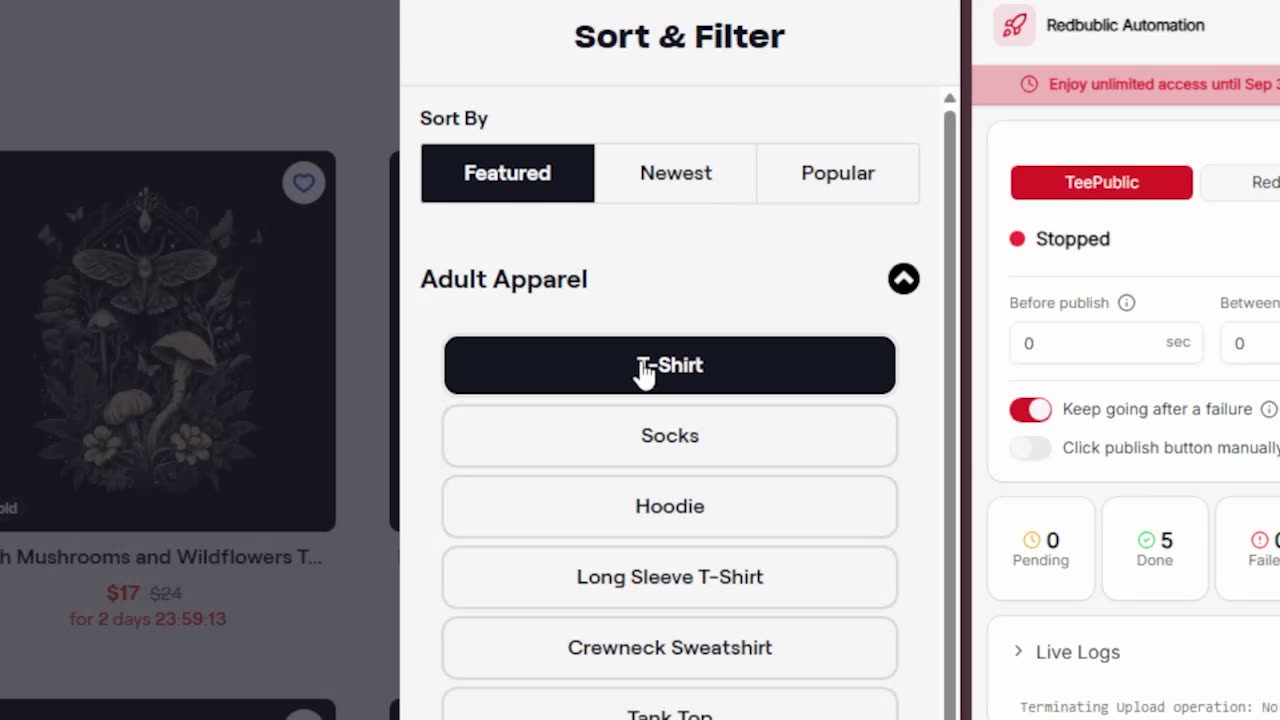
Bonus: bulk delete on TeePublic
Cleaning up an old TeePublic shop is just as tedious as uploading. Redbublic lists every design in your store with tick boxes, supports Shift-click to select a range, and can select everything except the designs that have already sold. One confirmation and they are deleted in the background, each one checked.
Is Redbublic really free?
Yes. Redbublic is free - no subscription, no credit card and no limit on how many designs you upload. The only limits are the ones Redbubble and TeePublic set themselves.
How to start uploading in minutes
1. Add Redbublic to Chrome from the Chrome Web Store.
2. Create your free account on redbublic.com.
3. Download the Excel template from the extension and fill in one row per design.
4. Choose your design folder, import the Excel file, and press Start.
Frequently asked questions
Does Redbublic work with Redbubble and TeePublic at the same time? Yes. Each design can go to Redbubble, TeePublic or both, and the extension switches marketplaces on its own when one is done.
Can I bulk upload to Redbubble for free? Yes. Redbublic is a free Redbubble bulk upload tool: queue as many designs as you like and it uploads them one by one, within Redbubble's daily limit.
Will a bulk uploader get my account banned? Redbublic uploads at a normal pace, inside your own browser and your own login, and respects each site's daily limit - the same way you would upload by hand, just without the clicking.
Do I need a powerful computer? No. Any computer that runs Google Chrome works, and you can keep using it while the upload runs.
Stop uploading designs by hand. Spend your time on what actually sells - new designs - and let Redbublic handle the uploading on Redbubble and TeePublic.
Stop uploading designs by hand
Redbublic fills in and publishes every design for you on TeePublic and Redbubble.